You can sync components and apps hosted on Bit Cloud to a Git repository. To do this, open a terminal app on your computer and follow these steps:
Install Bit CLI
npx @teambit/bvm install
Login to your Bit Cloud account
bit loginCreate a new directory and initialize Git and Bit
mkdir bit-workspace cd bit-workspace bit init --default-scope "my-org.my-scope"Now head to any scope page you want to sync to this repository, and find the "Import" dropdown, and copy the
importcommand: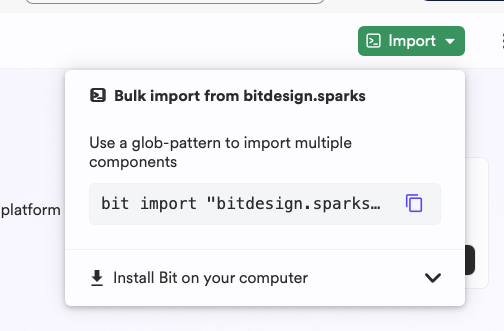
Go back to the terminal and paste the command:
bit import --owner bitdesignUse Git to commit the changes and keep the repository.