Organizations can utilize Cloud Workspaces to establish baseline Component Development Environments for their developers, ensuring adherence to global coding practices and standards.
You can implement custom Environments or leverage Bit's maintained base Environments.
Navigate to your organization settings.
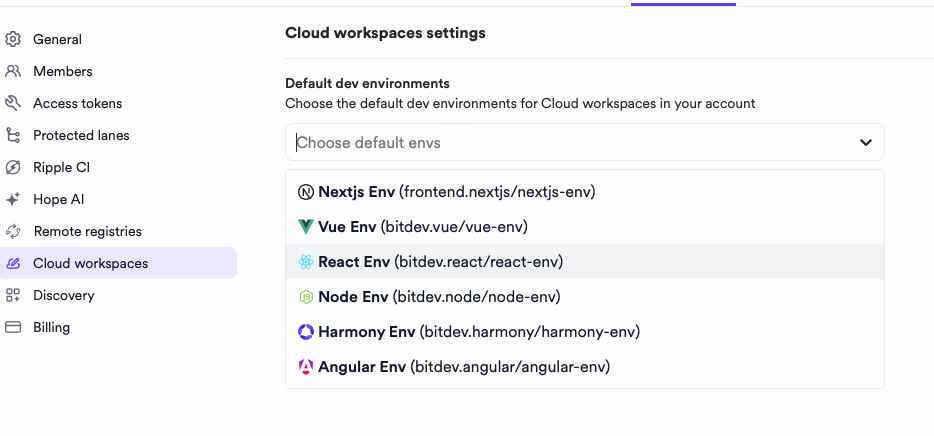
Locate the Cloud Workspaces section.
Select the Environments to enable by default for all Cloud Workspaces (multiple selections are permitted).
Workspace settings (workspace.jsonc)
If your Cloud Workspace was initiated via Hope AI or component editing, Bit automatically configures it. For workspaces created from scratch or those requiring extension for additional technologies, you'll need to manually adjust settings. Workspace settings are defined in workspace.jsonc, located in the project's root directory. Key configurable aspects include:
- Default Scope: The default scope for new components or lanes created within the workspace.
- Dependencies: External dependencies installed via
bit installand their respective versions. - Generators: A list of Component Development Environments providing templates for new component creation.