You can create and manage programmatic access tokens for your organization's scopes and components. This enables access from CI/CD tools and similar systems.
The availability of this feature depends on your Bit Cloud Subscription.
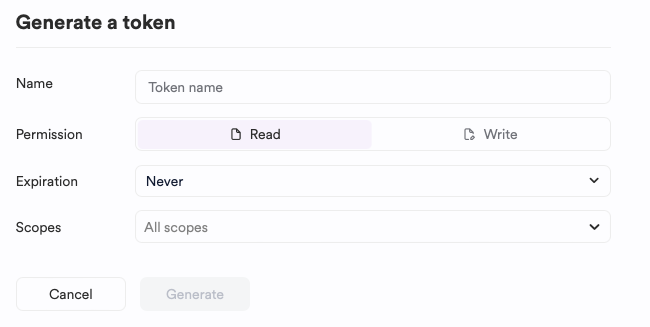
To generate a token for your organization, follow these steps:
- Log in as an organization administrator.
- Go to your organization settings.
- Open the "Settings" tab and navigate to the "Access Token" section.
- Configure the token's properties:
- Name: Give the token a descriptive name to easily identify its purpose and usage.
- Permission: Choose between Read or Write access.
- Expiration: Set an expiration policy for the token. Note that expired tokens cannot be recovered, and you'll need to generate a new one.
- Scopes: (Optional) Specify a list of scopes that the token's permissions apply to. If left unset, the token will have access to all scopes in the account.
Click Generate.
Copy the token.
Important: The token is only displayed once. If you navigate away from the page, you cannot retrieve it. Store it securely.
To revoke a token from the organization:
- Go to the organization settings.
- Locate the token you want to delete.
- Select the "Remove Token" option and follow the on-screen instructions.