Every signed-in member has a personal profile. Use it to showcase your skills and experience by adding information about yourself!
Personalizing your profile
Here's how to customize your profile:
- Go to your profile settings by clicking your avatar and selecting "Settings."
- You'll find several options to customize your profile:
- Display Name: This "pretty name" is displayed alongside your account name.
- Company: Showcase your workplace or business.
- Location: Your geographical location (country, city, etc.).
- Website: Link to your personal or professional website.
- Description: Use this freeform text field to introduce yourself and your expertise.
- Avatar: Upload an image relevant to your Bit Cloud account.
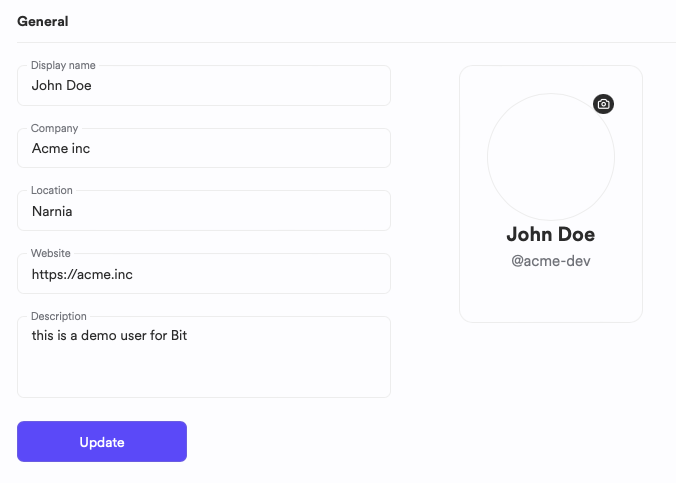
When you're satisfied with the details, click the "Update" button.