A Development Environment (env) provides the tools and settings for coding, controlling commands like compile, test, and build. It integrates with IDEs for tasks such as type-checking and formatting. Envs are versioned Bit components, streamlining development by managing tooling.


A developer or an organization may maintain several envs, each for a different part of the stack or to define standards and tooling for various use cases. You can configure Hope AI and Cloud Workspaces to use specific envs, as needed. All envs you create on Bit Cloud are also available to users of Bit.dev from their local systems or Git repositories.
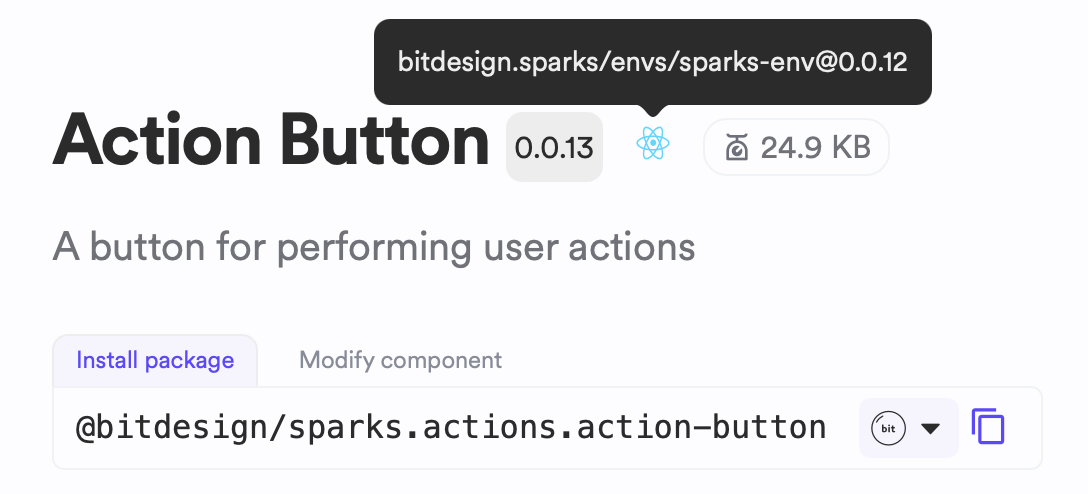
To see the env configured for a component, go to the component's page and hover over the env icon for details.
Manage component env
The bit env command allows you to manage a component's env. This command is available when you edit a component in Cloud Workspace:
- Go to the component you want to edit.
- Click the "Edit Code" button.
- Open the terminal and use any of the following commands:
bit env # Show the configured env and version of all components in the workspace bit env replace CURRENT-ENV FUTURE-ENV # replace CURRENT-ENV with FUTURE-ENV bit env set COMPONENT ENV # set ENV as the env for COMPONENT

Similar to code changes, env changes also require a review. Follow the steps to propose changes to update the component.
Explore Further
This guide focuses on operating envs in Bit Cloud. For more advanced topics on building or using this feature, we recommend exploring the Bit.dev documentation.