Link your Git provider account with Bit Cloud to gain adoption analytics for your components and enable automated updates to your Git repositories.
Connecting Your Git Provider:
Navigate to your Bit organization settings.
Select "Repositories."
Choose your Git provider and follow the on-screen instructions.
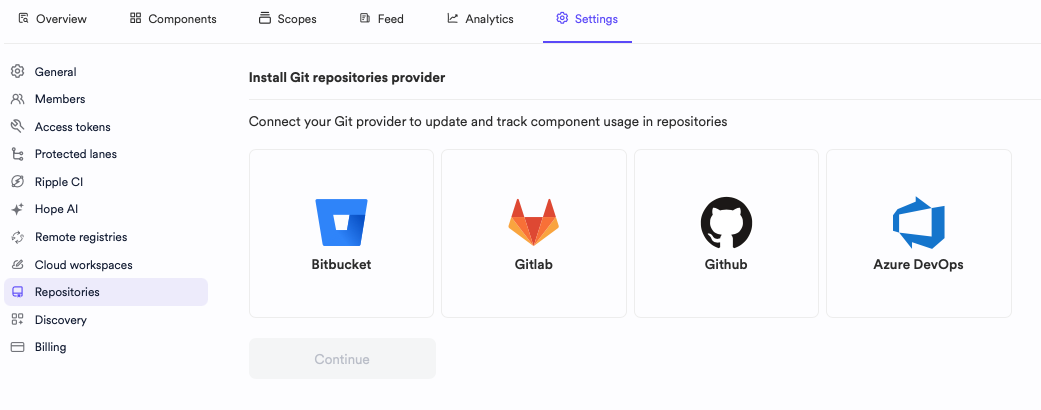
After integration, you'll see:
- The Git provider accounts connected to your Bit Cloud account.
- The number of repositories set up for integration.
- The timestamp of the last sync between the provider and Bit.
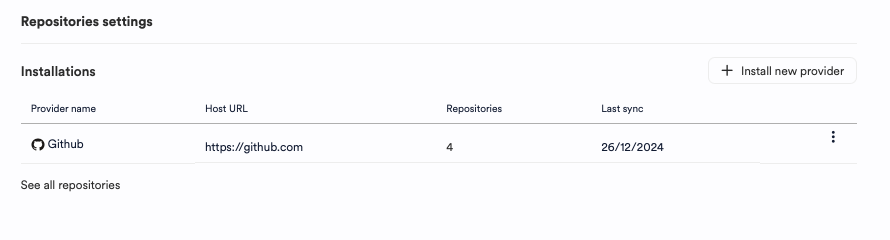
Connect multiple Git providers and accounts to a single Bit Cloud account for comprehensive component usage visibility.
You can view detailed repository information, including:
- Repository name and owner.
- The number of imported components.
- The number of component dependencies.
- The timestamp of the last data sync.
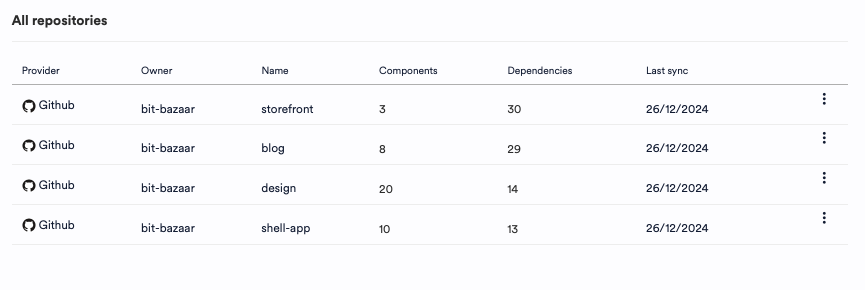
Track component adoption metrics within your Git repositories. Learn more.
Automated repository updates are coming soon. In the meantime, you can configure custom automation.
- Use Bit in a Git repository
- Get adoption metrics from Git repositories
- Installing component as a package
- Synchronize Bit with Git