As a Bit Cloud user, you may be a member of multiple organizations. Your access to features and resources can vary depending on the organization you're currently working within.
Setting your context
- To set your context, click the "User Menu" in the top-right corner of the screen.
- Select either "Personal Account" or the specific organization you want to work with.
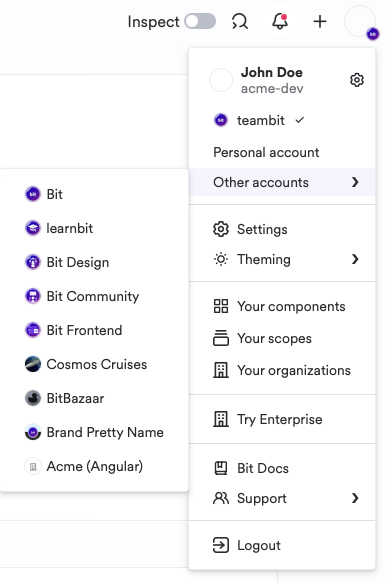
- Your current context is displayed below your avatar image.
Setting the correct context optimizes your workflow in several ways:
When Hope AI is aware of your context, it can:
- Provide more relevant component reuse suggestions.
- Generate components that adhere to the specific organization's guidelines.
- Track Hope AI usage consumption according to the selected context.
Bit Cloud's discovery features, such as the Component Discovery tool, tailor your onboarding experience based on your current context.
Cloud Workspaces resource usage is associated with your active context. Billed hours are deducted from the account of the selected context.