Bit Cloud tracks the progress of how you use and adopt your Bit components across your organization, scopes, and repositories.
You can view analytics at several levels:
Bit Cloud provides insights into individual components. To access them:
- Navigate to a component's page.
- Select the Analytics tab.
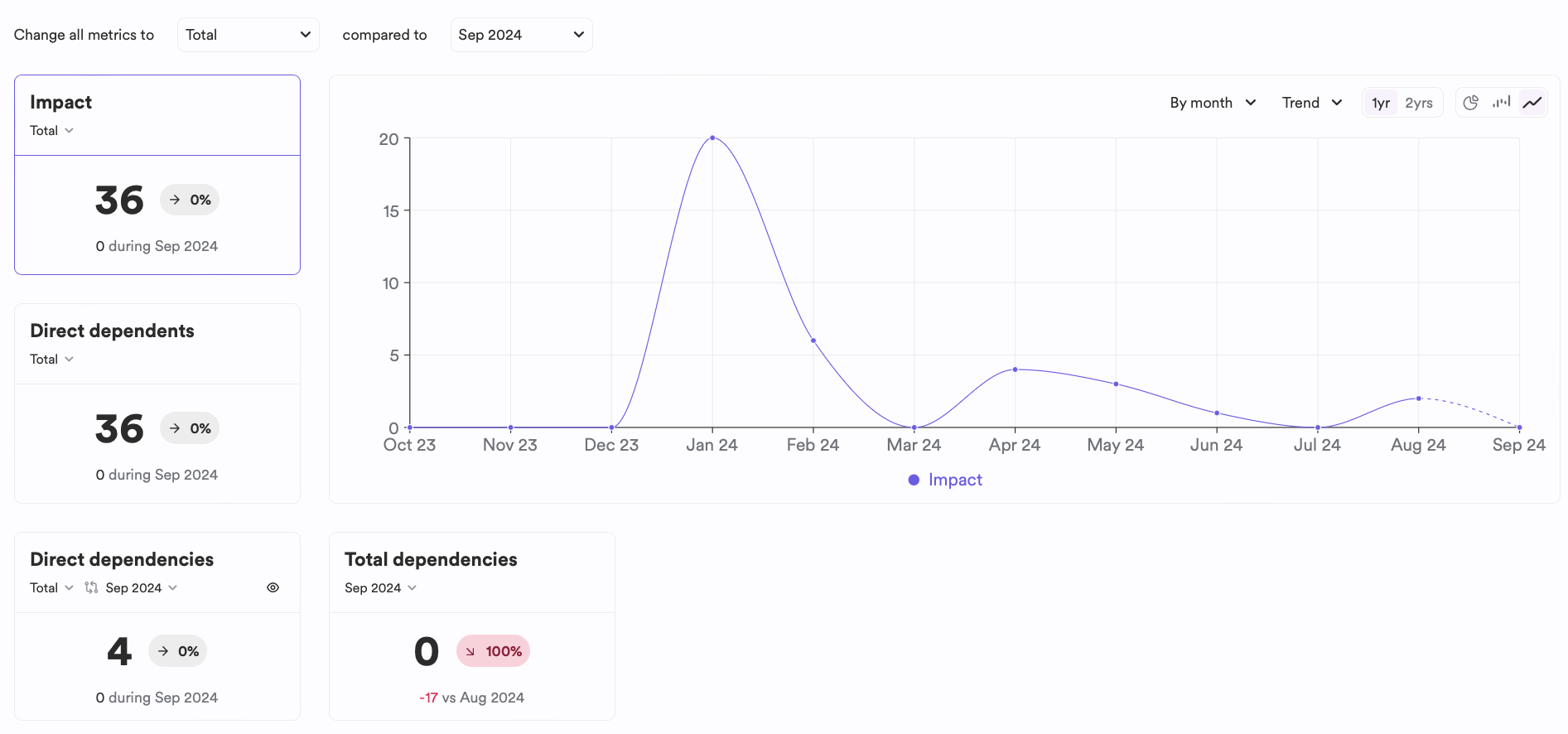
Component analytics provide information on:
- Impact: The total number of unique components that depend on this component, recursively.
- Direct Dependents: The number of components that directly use this component.
- Direct Dependencies: The number of components that this component uses directly.
- Total Dependencies: The total number of components that this component uses recursively.
For each of these metrics, you can view trends, cumulative values, and filter them by a selected timeframe.
You can monitor the utilization of all components within a specific scope:
- Navigate to a scope's page.
- Select the Analytics tab.
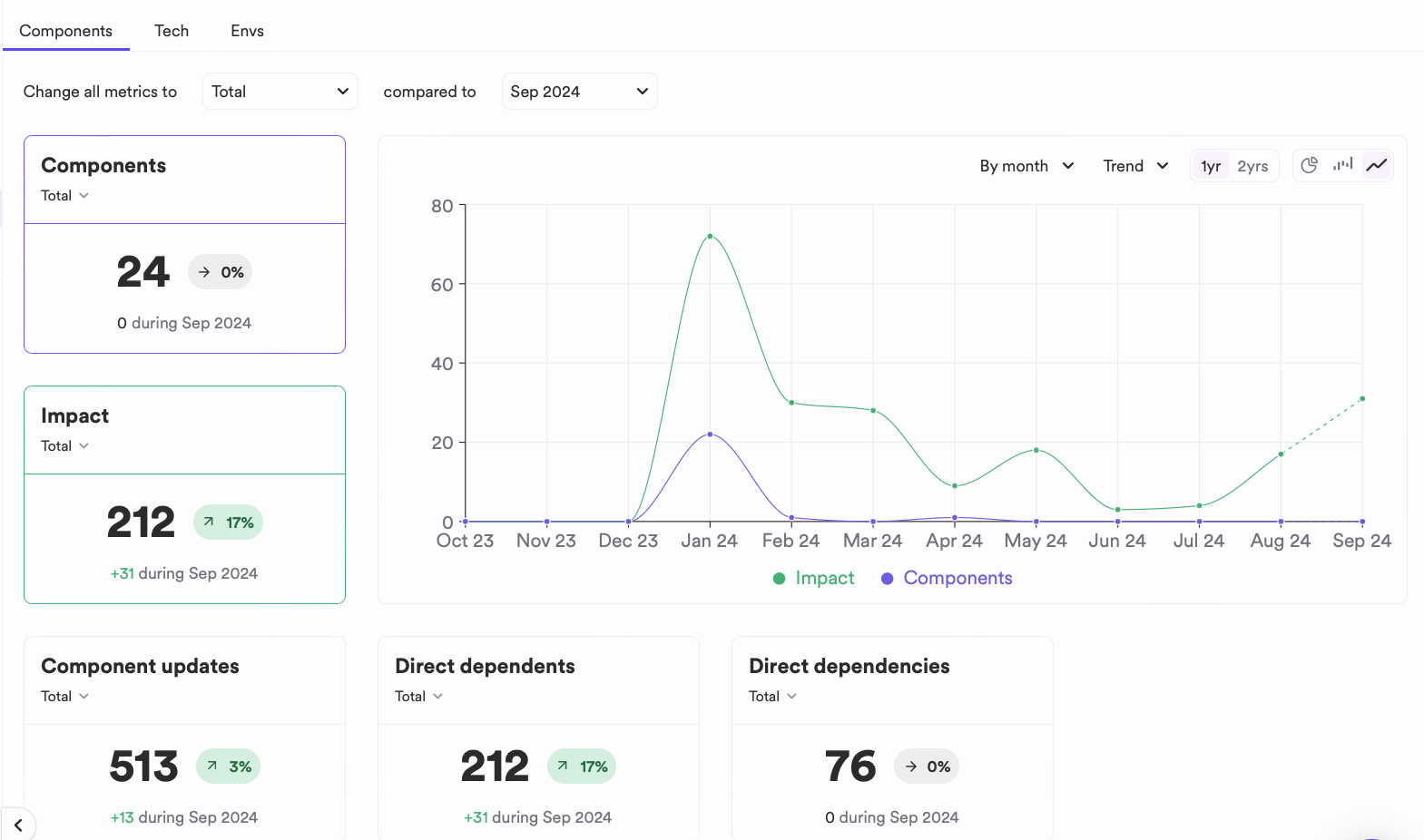
The scope analytics page contains several tabs, each providing different insights:
- Components: Statistics and analytics on how components in the scope impact your overall component ecosystem.
- Tech: Frameworks used by components within the scope.
- Envs: Component Development Environment usage by components in the scope.
Organization analytics provide high-level information on your component ecosystem:
- Navigate to your organization's profile page.
- Select the Analytics tab.
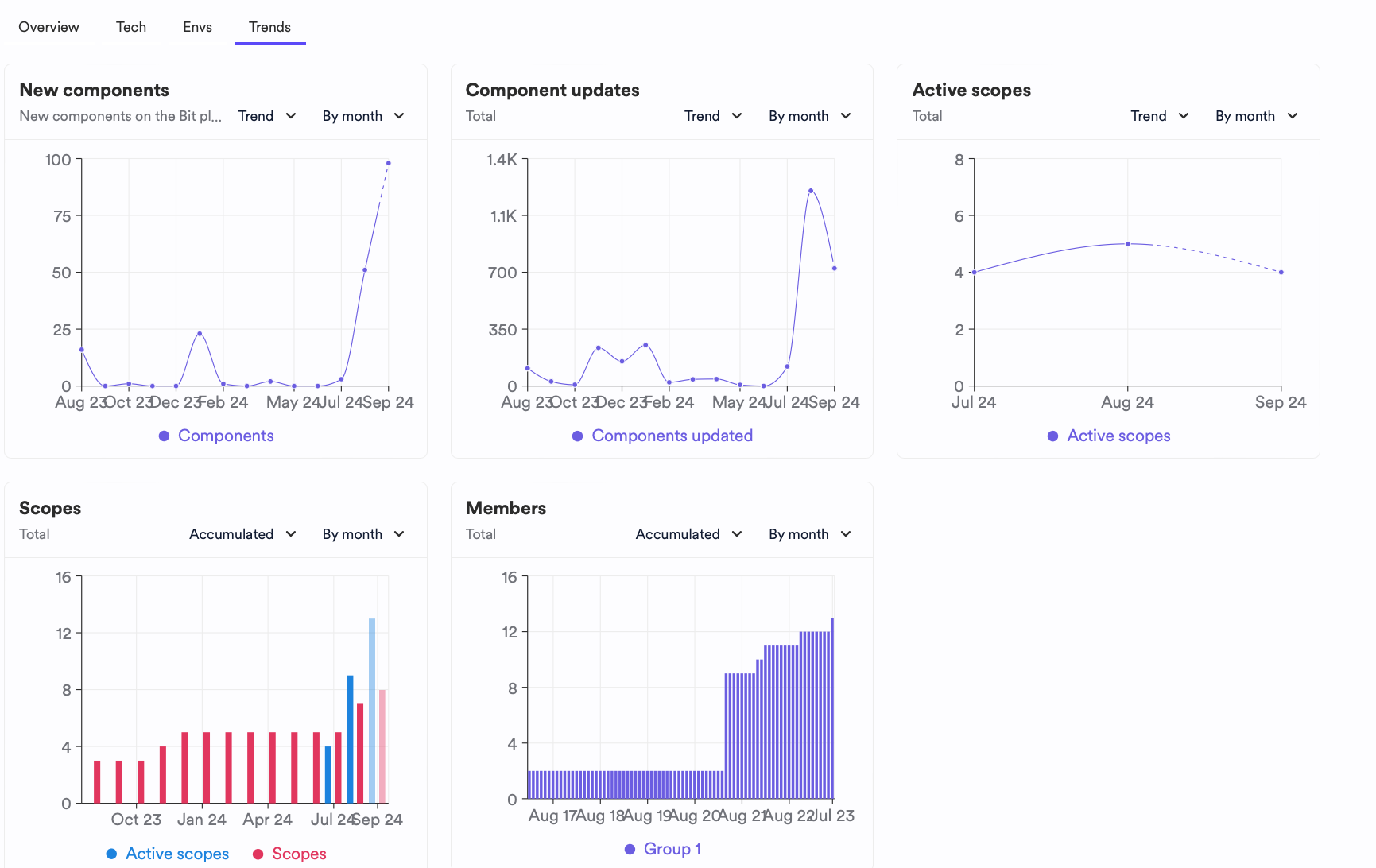
Organization analytics aggregate data from various scopes. Additionally, you can view a trend dashboard for your ecosystem and usage.