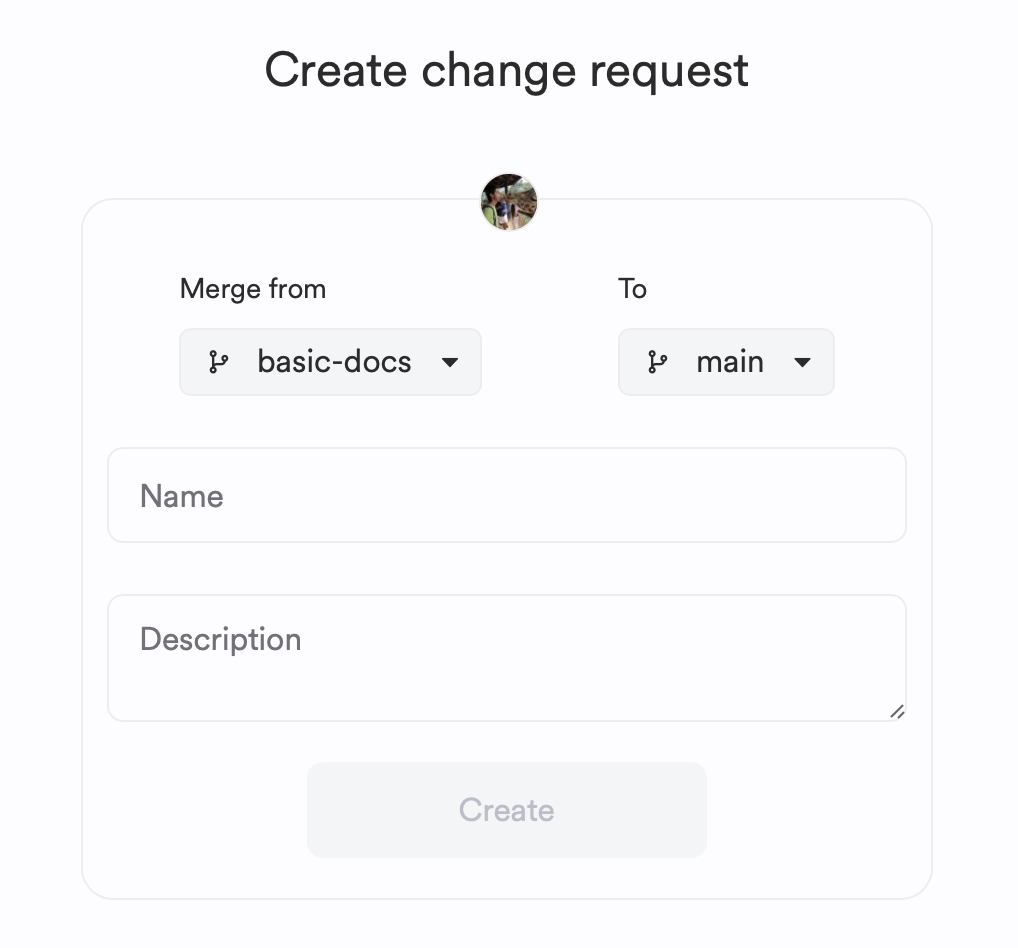
Change Requests facilitate collaboration on component modifications before merging and releasing them. Initiate the review process by submitting component changes via a Lane using these methods:
- Prompt with Hope AI
- Manual Code Changes on Cloud Workspaces
- From Git Branches, with automation
- Using the Bit CLI
Once changes are consolidated in a lane and you're satisfied, submit them for review:
- Navigate to the exported lane on Bit Cloud.
- Click "Submit Change Request."

The Change Request page provides an overview of the review process, affected components, and more.
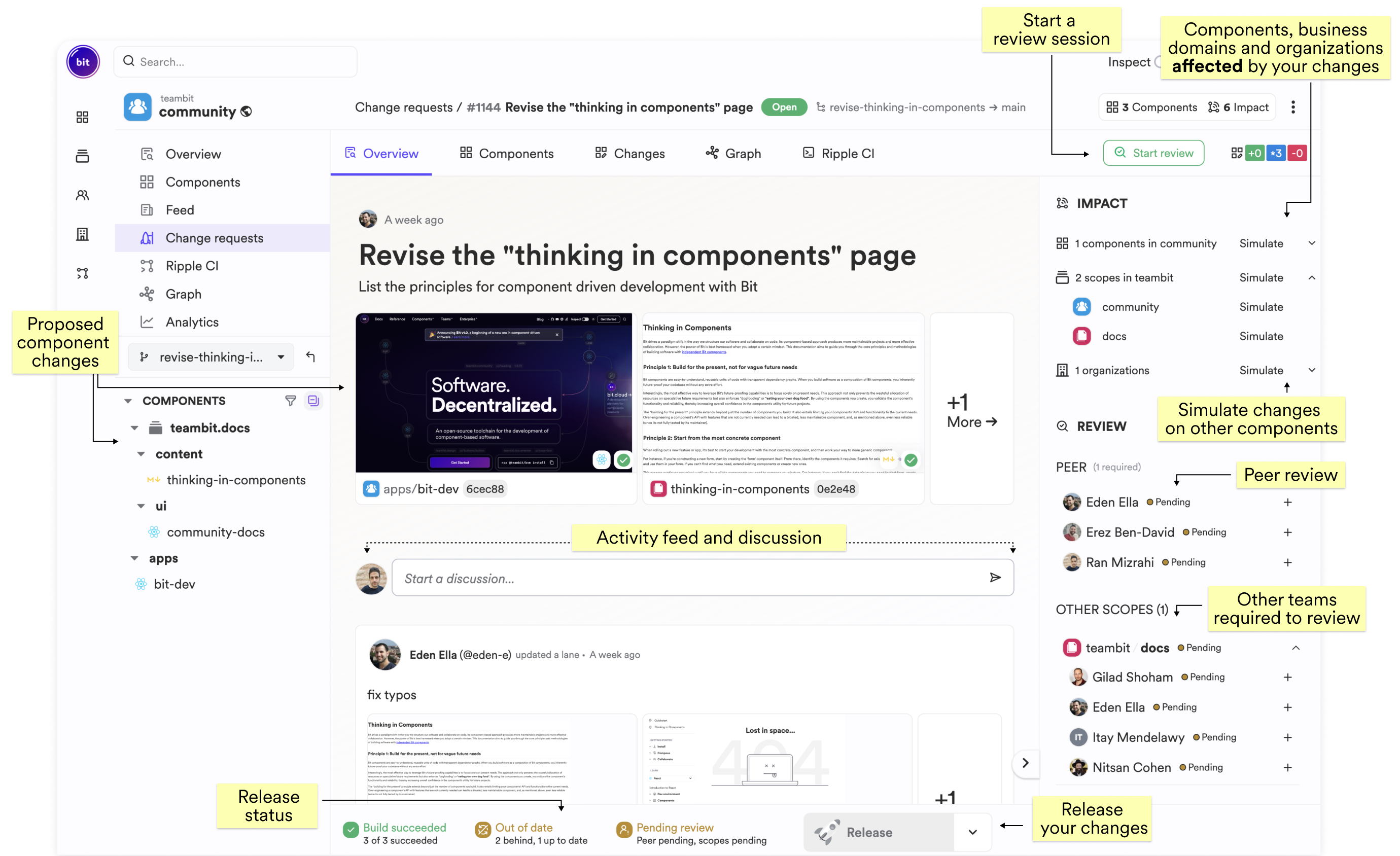
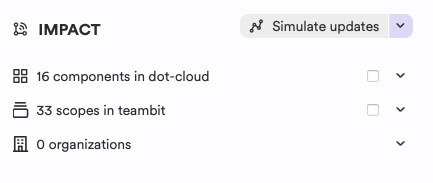
Use Ripple CI's impact dashboard to simulate the impact of your changes on dependent teams and components. You can simulate builds or include components in your lane for merging.
View build and review statuses, and any pending updates.

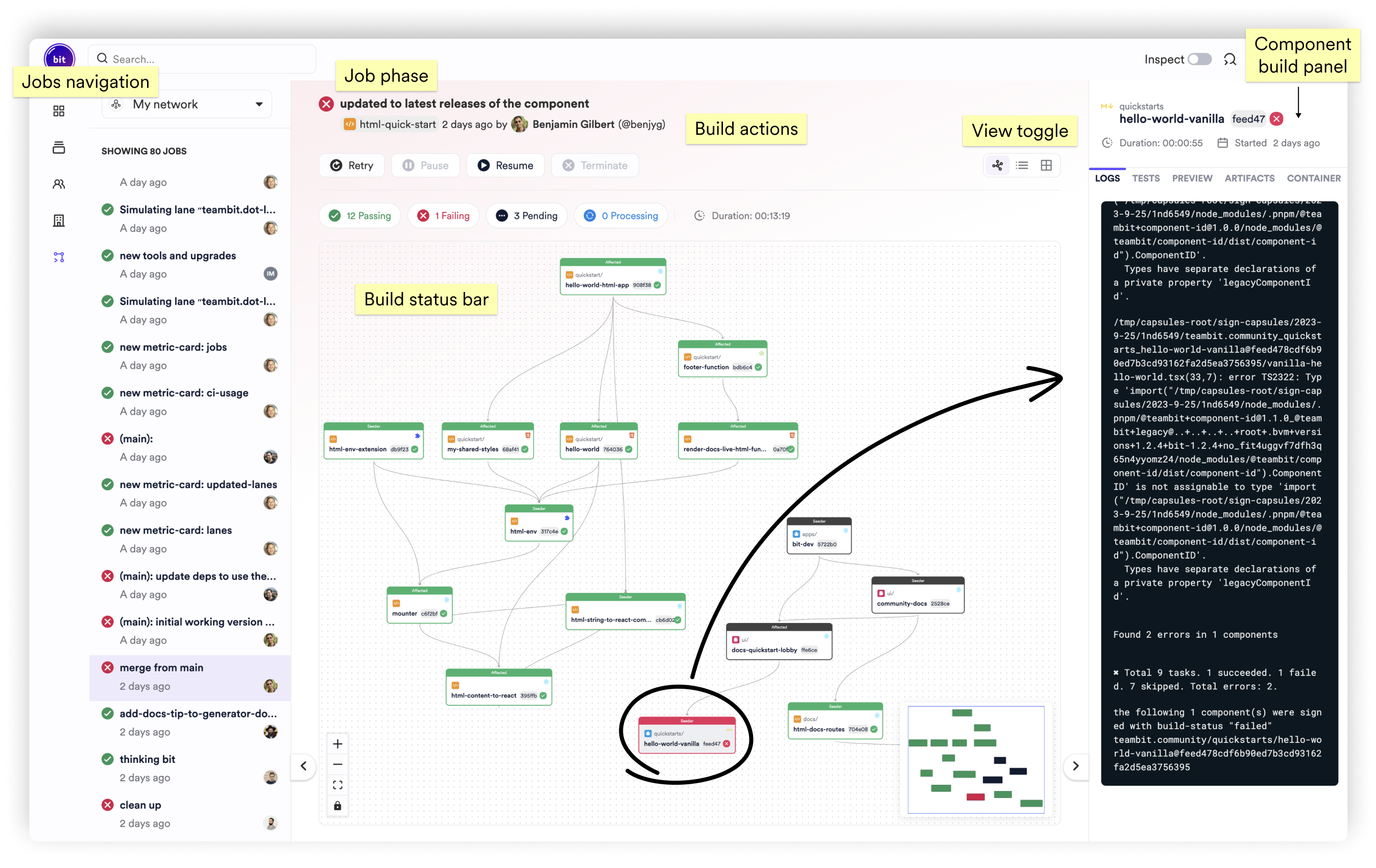
The component build bar indicates the number of successfully built components within the Change Request.

If you use Ripple CI, you can view per-component build processes.
Components within your Change Request may acquire new versions over time. To update them, select "Update Lane" in the "Build Status Panel."
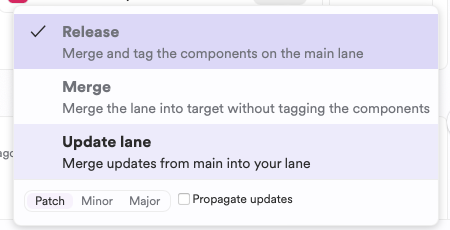
Bit Cloud will attempt to merge your changes with the latest component versions. Resolve any conflicts manually using Cloud Workspaces or the CLI:
- Ensure your workspace is up-to-date:
bit import

- Identify outdated components:
bit status --lanes
- Merge your Lane changes:
bit lane merge main
- Resolve any merge conflicts.
- Snap and export your changes:
bit snap --message "update lane" && bit export
By default, Bit Cloud merges your lane to the main lane. You can specify a different target lane in the Change Request creation form (optional).